1 Pick a development
Proposals in colour are asking for community feedback right now. Click one to have your say. Greyed-out ones aren't requesting feedback at the moment.
Tap a gold pin to have your say, or pick from the list below.
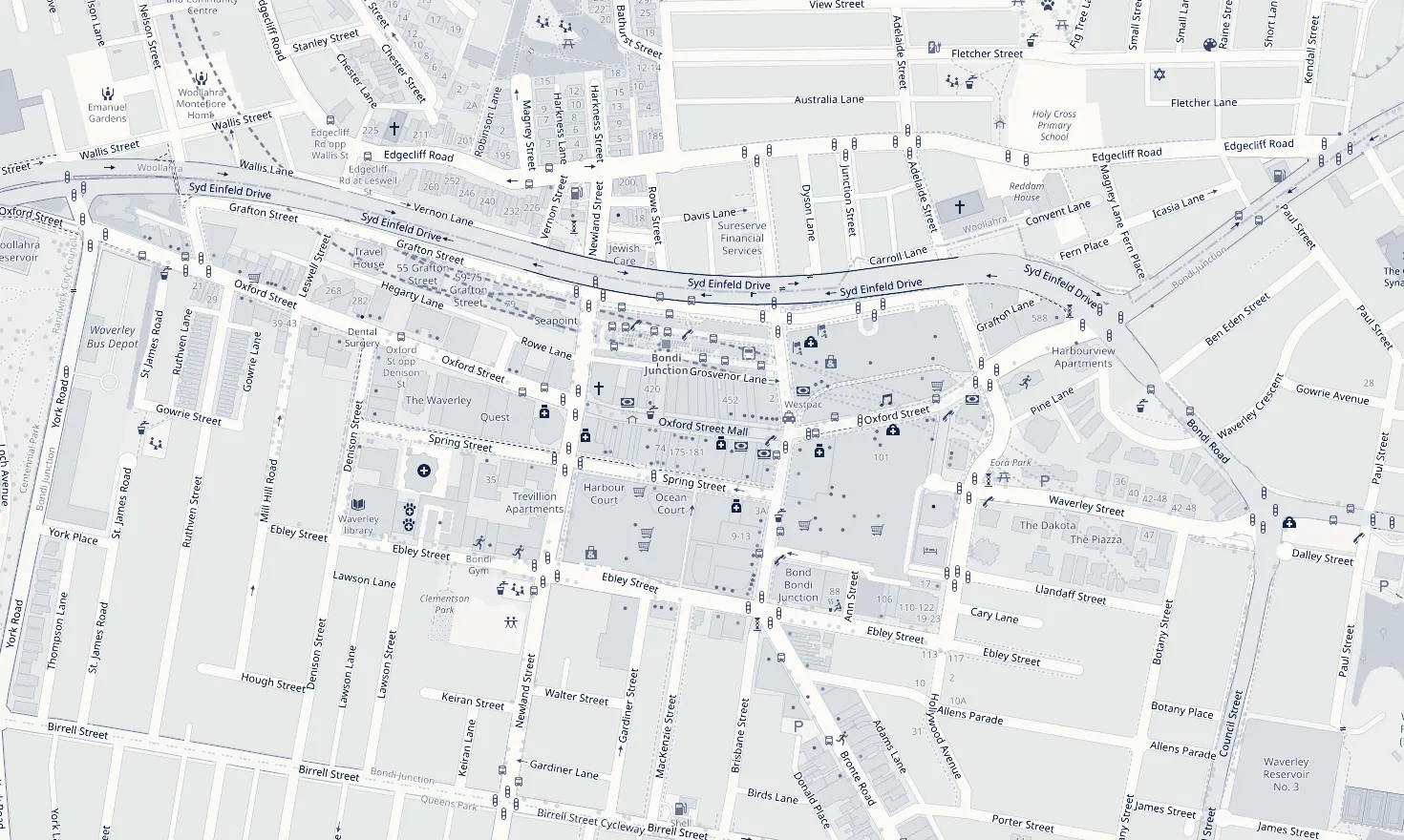
Map © OpenStreetMap contributors
Your draft feedback
Your email app opens with the recipients and subject ready. Paste the copied message into the body, attach any photos, and send.
Having trouble with the link? You can paste these addresses into a new email instead:
Submissions can only be made online, from a free NSW Planning Portal account. Steps 2 and 3 walk you through it.
2. Create your free Planning Portal account (about 3 minutes)
Already have a NSW Planning Portal account, for example from a DA? Skip to step 3 and log in with the same email and password.
Open the sign-up page ↗- Click Open the sign-up page above. On the Major Projects log-in screen, click Create account (below the Log in button).
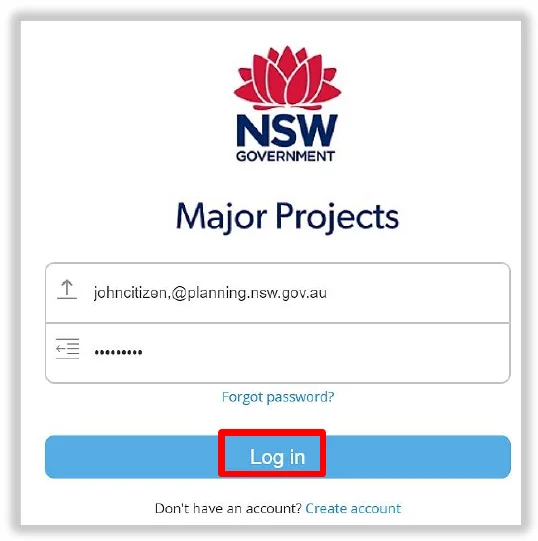
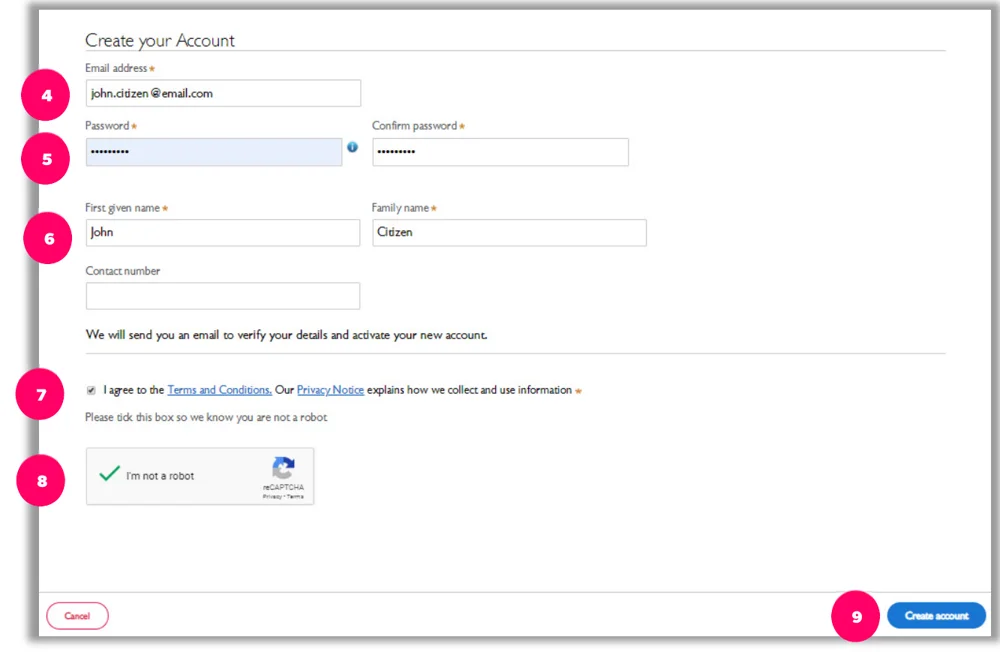
- Enter your email address. This becomes your username, and the Department's emails go to it.
- Choose a password of 8 to 16 characters, using at least three of: uppercase letters, lowercase letters, numbers and symbols (such as ! @ # $ %).
- Enter your first name, family name and contact number (a mobile is preferred).
- Tick to agree to the Terms and Conditions, tick I'm not a robot and answer its picture question, then click Create account.
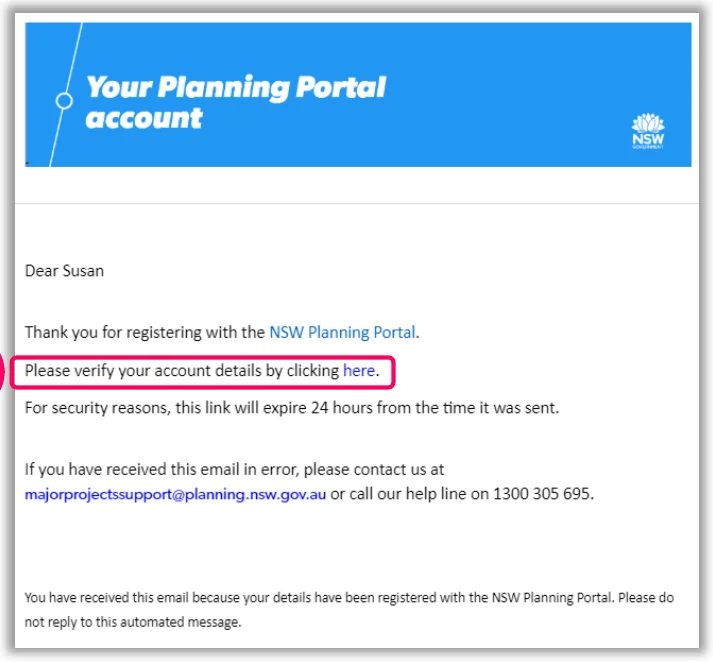
- Check your email for the confirmation email and click its link to verify your account. Your account isn't created until you do (check your junk folder if it doesn't arrive). The link expires after 24 hours.
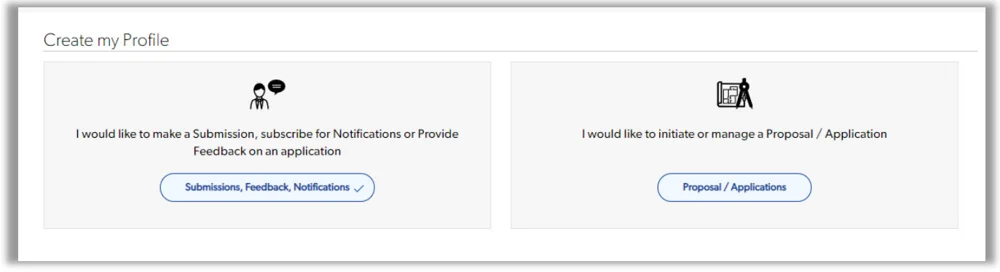
- Log in. When asked how you want to use the website, choose the option on the left, Submissions, Feedback, Notifications.
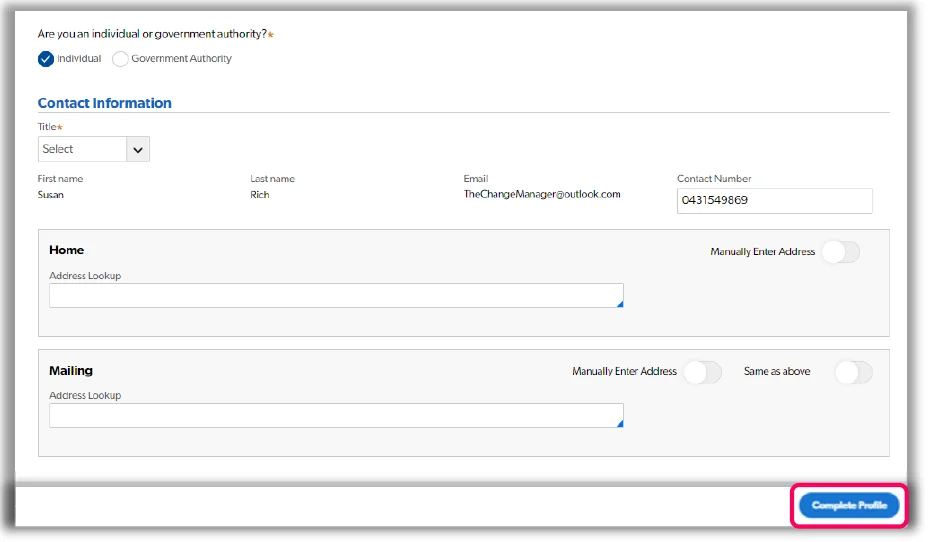
- Choose Individual, fill in the rest of the form and click Complete Profile, then OK, and log in with your email and password.
- Come back to this page for step 3.
3. Make your submission
Open the submission form ↗- Click Open the submission form above and log in. The form opens for this project.
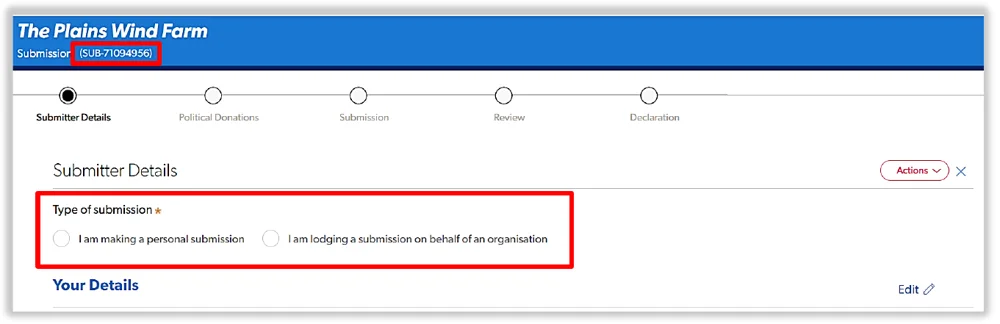
- Submitter Details: choose I am making a personal submission.
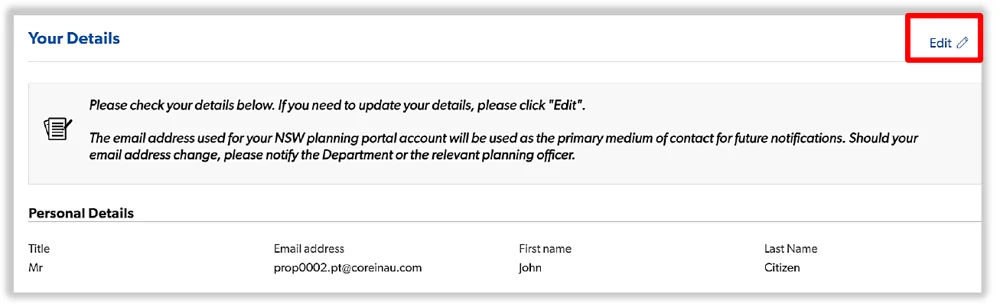
 Check your details (click Edit to change them) and click Continue.
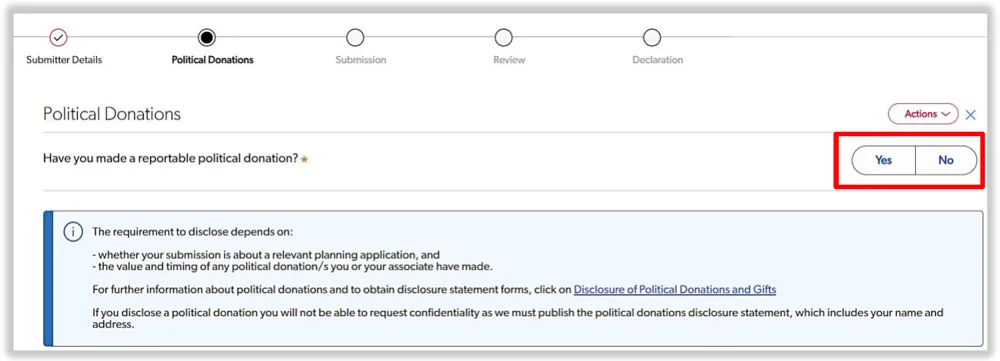
- Political Donations: answer whether you have made a reportable political donation, then click Continue.
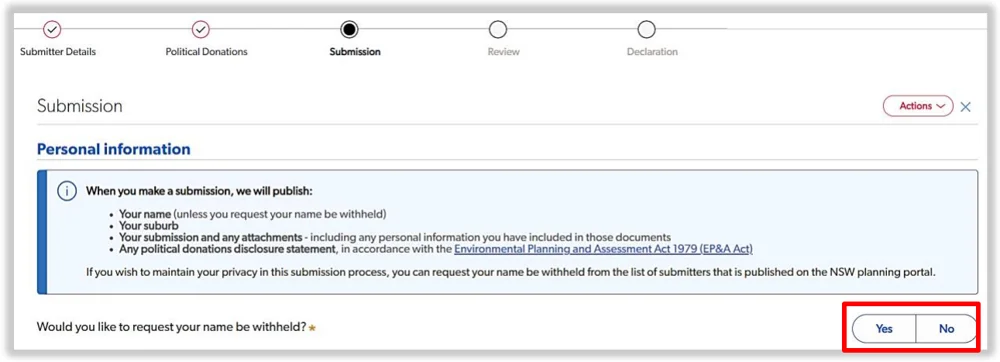
- Submission: choose whether you'd like your name withheld. If you choose Yes, delete your name and address from your submission first, as the text is published.
- Pick your view on the project: I object to the project, I'm providing comments or I support the project.

- Paste your submission into Your Comments (up to 10,000 characters).
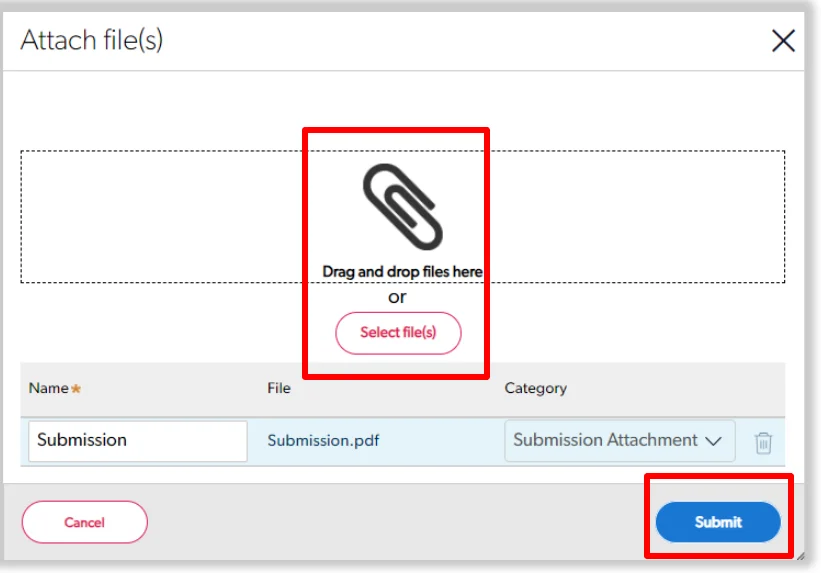
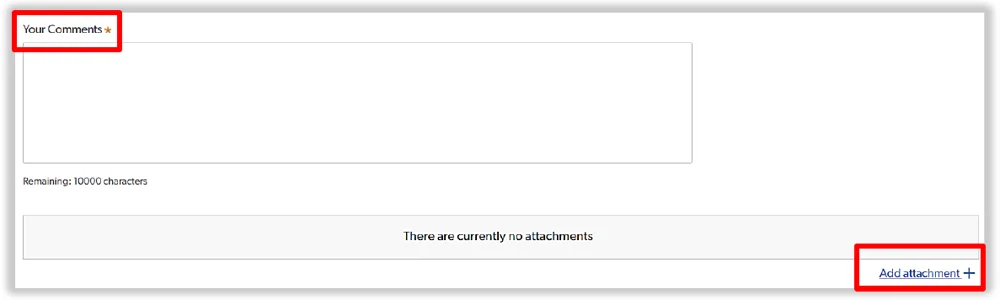 Attaching photos? Click Add attachment under the comments box, then Select file(s) (or drag them in), and click Submit.
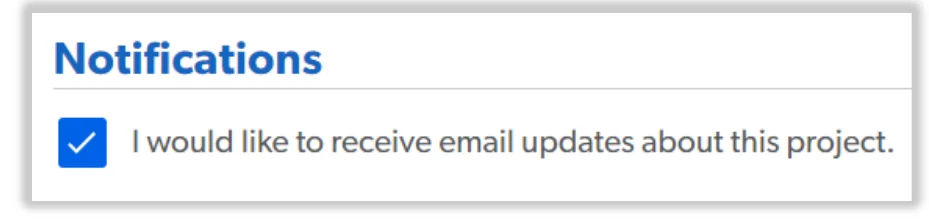
 Leave the email updates box ticked to hear how the project progresses, and click Continue.
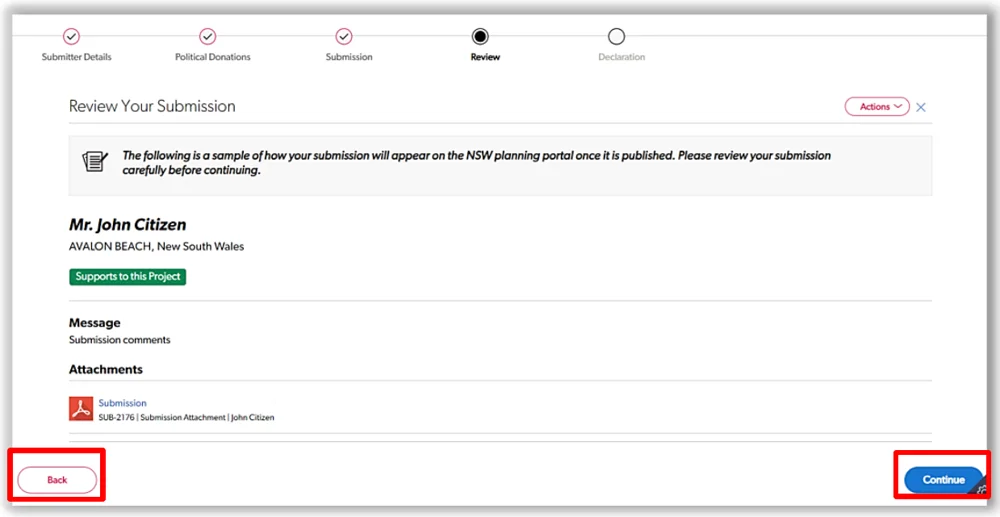
- Review how your submission will appear, and click Continue (or Back to change it).
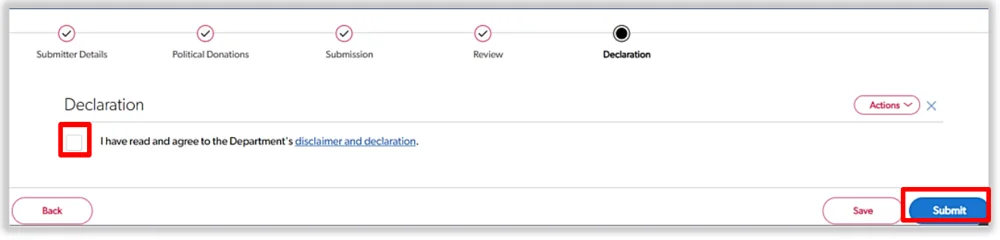
- Tick the Declaration and click Submit.
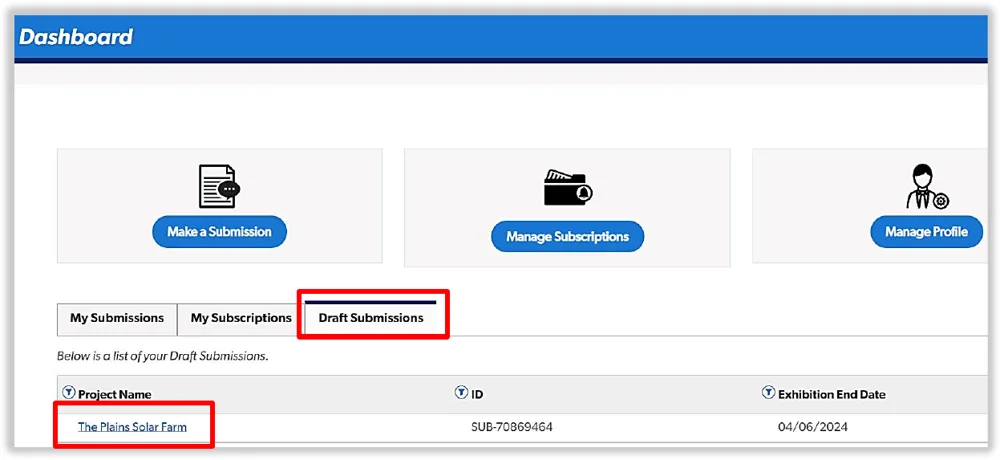
Need a break? Click Save on any screen and finish it later from Draft Submissions on your dashboard, before the exhibition closes.
The Department publishes your name, suburb and submission, unless you ask for your name to be withheld. Stuck? Call Service NSW on 1300 305 695, email MajorProjectsSupport@planning.nsw.gov.au, or see the Department's step-by-step guide (PDF).
Screenshots: NSW Department of Planning, Housing and Infrastructure guides. Their examples show other projects.
Stay in the loop
More tower proposals are on the way. Leave your email and we'll let you know when there's a major planning development in Bondi Junction you can have your say on.
Only for major Bondi Junction planning news. Your email is kept separate from your letter and never sent to the AI.
Have your say on another
These proposals are asking for feedback too. It only takes a couple of minutes each.